
| Information Upload | logout |
The Basics Getting Started |
Images Preparing images Uploading images Editing image info |
Other Tasks Exhibits Texts Artist profiles |
| Menus moving menu items Rebuilding the menus |
| Manage site look Edit the look of the site |
|
||||||||||
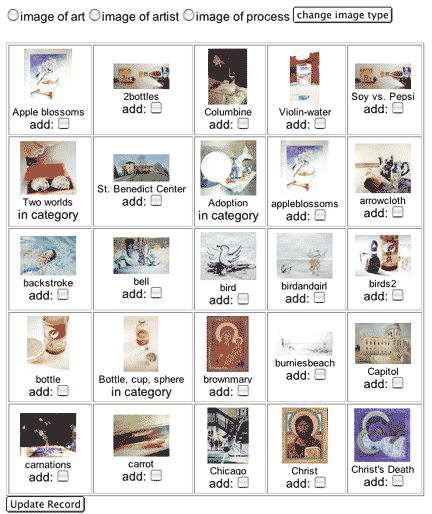
Adding images to categories The link titled "Edit category info" leads to a list of all the categories. At that page each category has a link titled "Categorize images as..." with the title of the category. If you follow this link the next page will display all images (Images are displayed in groups of 25) with a checkbox labeled "add" next to each image. If an image is in the category there is no check box and the text "in category" is in it's place.
|
||||||||||

| The Basics Getting Started |
Images Preparing images Uploading images Editing image info |
Other Tasks Exhibits Texts Artist profiles |